
Zapier
A cloud-based automation platform that lets you connect apps and services to automate repetitive tasks through simple, trigger-based workflows called "Zaps." It works by linking a trigger — an event in one app — to one or more actions in other apps, moving data between them automatically, with a focus on ease of use over deep customization.
How to get responses from Hunar Voice into Zapier using webhooks.
1
Create a new webhook in Zapier
1
Go to zapier.com → create a new zap, and click on the trigger step

2
In the Trigger step, search for Webhooks

3
Choose Catch Hook as the Event

4
Click Continue

5
Ignore the configure step for now and click Continue again.
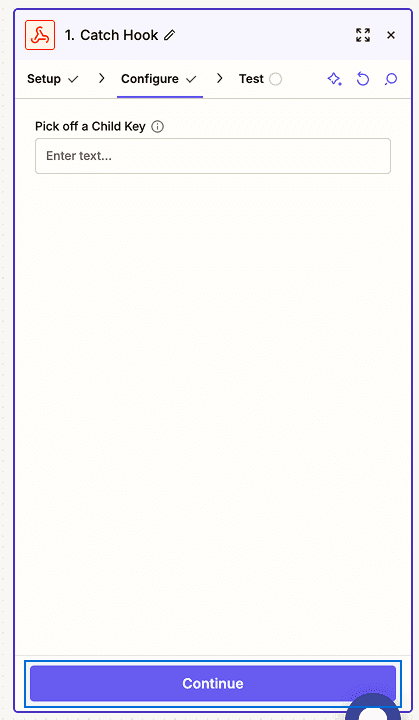
6
Copy the webhook URL.

2
Add webhook event in Hunar Voice
1
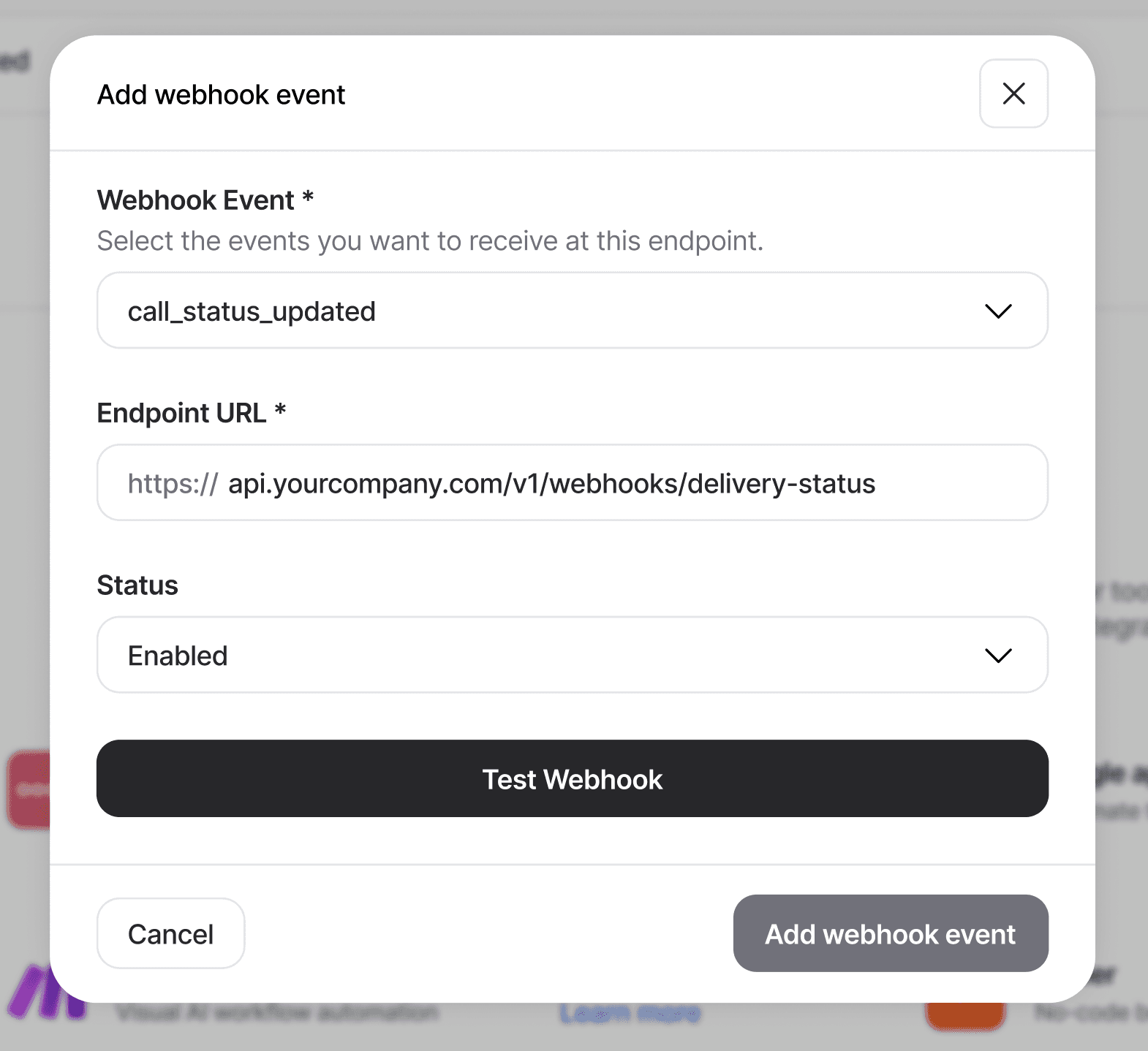
Go to integrations tab, and click on the Add Webhook event button.

2
You'll see the Add Webhook modal pop up

3
Choose your webhook event, and paste the URL you got from Zapier.
4
Click Test Webhook

5
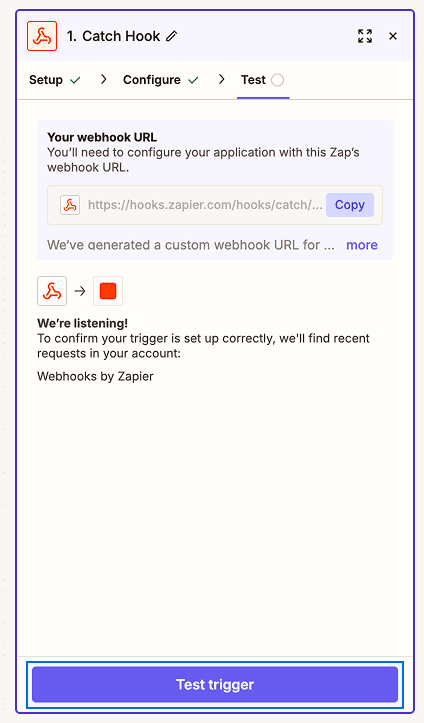
Back in Zapier, click Test Trigger
6
Zapier will "find the request and show you all the fields

7
Click Continue with selected record

3
Add Action steps and turn on your Zap
1
Example actions
Filter step — under the + button, choose Filter. Set condition: status → exactly matches → COMPLETED
Google Sheets — pick Create Spreadsheet Row, then map result_ _interested, duration_ minutes, recording_url to columns
Slack — pick Send Channel Message, compose message using the pill fields



Ready to manage your workforce better?




Bluejay Worktech Pvt. Ltd
contact@hunar.ai
CIN: U72200HR2021PTC100129
Plot No. 1076, Sector 46, Gurgaon - 122003, Haryana, India
© 2026 | All rights reserved.
♥︎ Made with love in India.