N8N
An open-source workflow automation tool that lets you connect apps, APIs, and services to automate tasks without writing much code. It works through a visual, node-based interface where you can design workflows by linking different actions—like fetching data, transforming it, and sending it somewhere else.
How to get responses from Hunar Voice into n8n using webhooks.
1
Get your webhook URL from n8n.
1
In your N8N canvas, click + and search for Webhook.

2
Set HTTP Method to POST

3
Click Listen for test event to activate it

4
Copy the Test URL shown — it looks like:
https://your-n8n.com/webhook-test/abc-123
2
Add webhook event in Hunar Voice
1
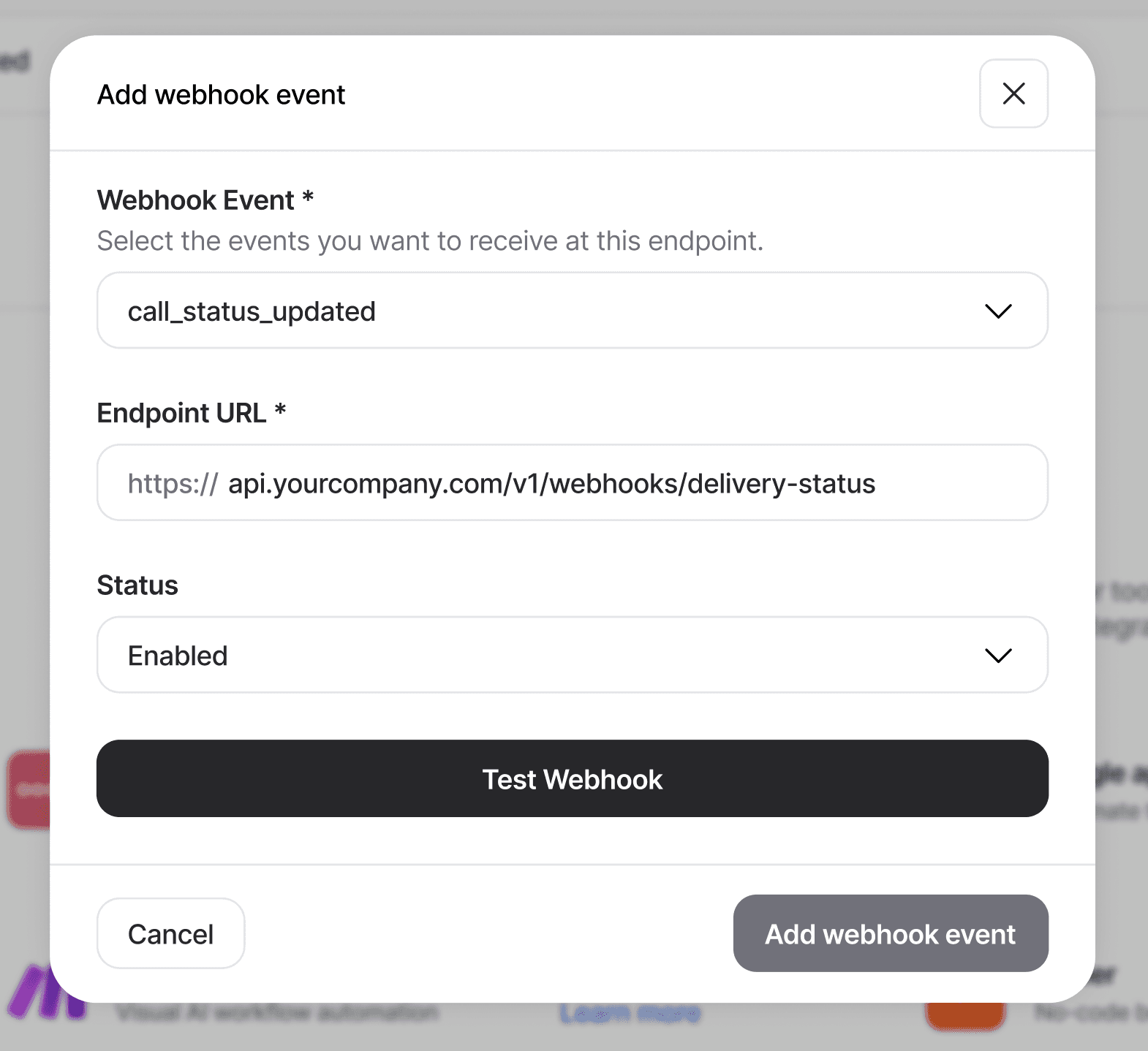
Go to integrations tab, and click on the Add Webhook event button.

2
You'll see the Add Webhook modal pop up

3
Choose your webhook event, and paste the URL you got from N8N.
4
Test webhook before adding the event.

5
Your N8N should get a response that look like this:

3
Build your N8N workflow from here
1
Useful N8N expressions to reference the payload:
{{ $json.body.status }} → "COMPLETED"
{{ $json.body.result.interested }} → "Yes"
{{ $json.body.recording_url }} → MP3 link
{{ $json.body.call_id }} → unique call ID
{{ $json.body.duration_minutes }} → 3.2
2
Common patterns:
IF node — route based on result.interested == "Yes"
Google Sheets — log every completed call as a row
Slack — alert your team when a lead qualifies
HTTP Request — push result to your CRM





Ready to manage your workforce better?


Bluejay Worktech Pvt. Ltd
contact@hunar.ai
CIN: U72200HR2021PTC100129
Plot No. 1076, Sector 46, Gurgaon - 122003, Haryana, India
© 2026 | All rights reserved.
♥︎ Made with love in India.