Google Sheets
A cloud-based spreadsheet application that lets you create, edit, and collaborate on spreadsheets in real time from any browser. It works by organizing data into rows and columns across multiple sheets, with support for formulas, charts, and pivot tables — and connects easily with other Google Workspace tools and third-party services through built-in integrations and an API.
How to get responses from Hunar Voice into Google Sheets using webhooks.
1
Create the Google Sheet
1
Create a new google sheet and name it something like Hunar Call Log.

2
In row 1, add headers so you can read the data later: Timestamp, Event, Call ID, Status, To Number, Duration (min), Result

2
Set up Apps Script
1
In your sheet, click Extensions → Apps Script.

2
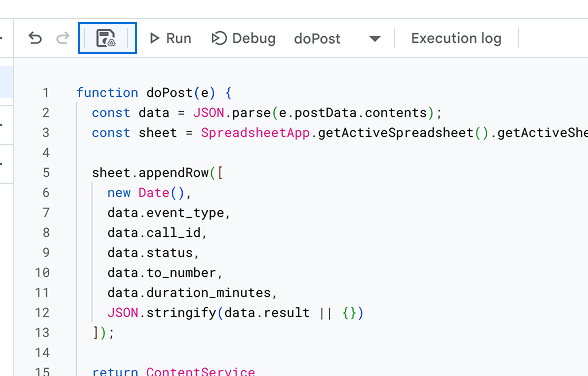
Delete whatever's in the code file and paste this in:
function doPost(e) {
const data = JSON.parse(e.postData.contents);
const sheet = SpreadsheetApp.getActiveSpreadsheet().getActiveSheet();
sheet.appendRow([
new Date(),
data.event_type,
data.call_id,
data.status,
data.to_number,
data.duration_minutes,
JSON.stringify(data.result || {})
]);
return ContentService
.createTextOutput(JSON.stringify({ status: 'ok' }))
.setMimeType(ContentService.MimeType.JSON);
}
3
Click the Save icon (or Cmd/Ctrl + S).
4
Click Deploy (top right) → New deployment.

5
Click the gear icon next to Select type → choose Web app.

6
Change "Who has access" to anyone

7
Click Deploy

8
Click Authorise access

9
Give permission to google by clicking Continue

10
Copy the Web app URL it shows you.

11
Click Done.

3
Add webhook event in Hunar Voice
1
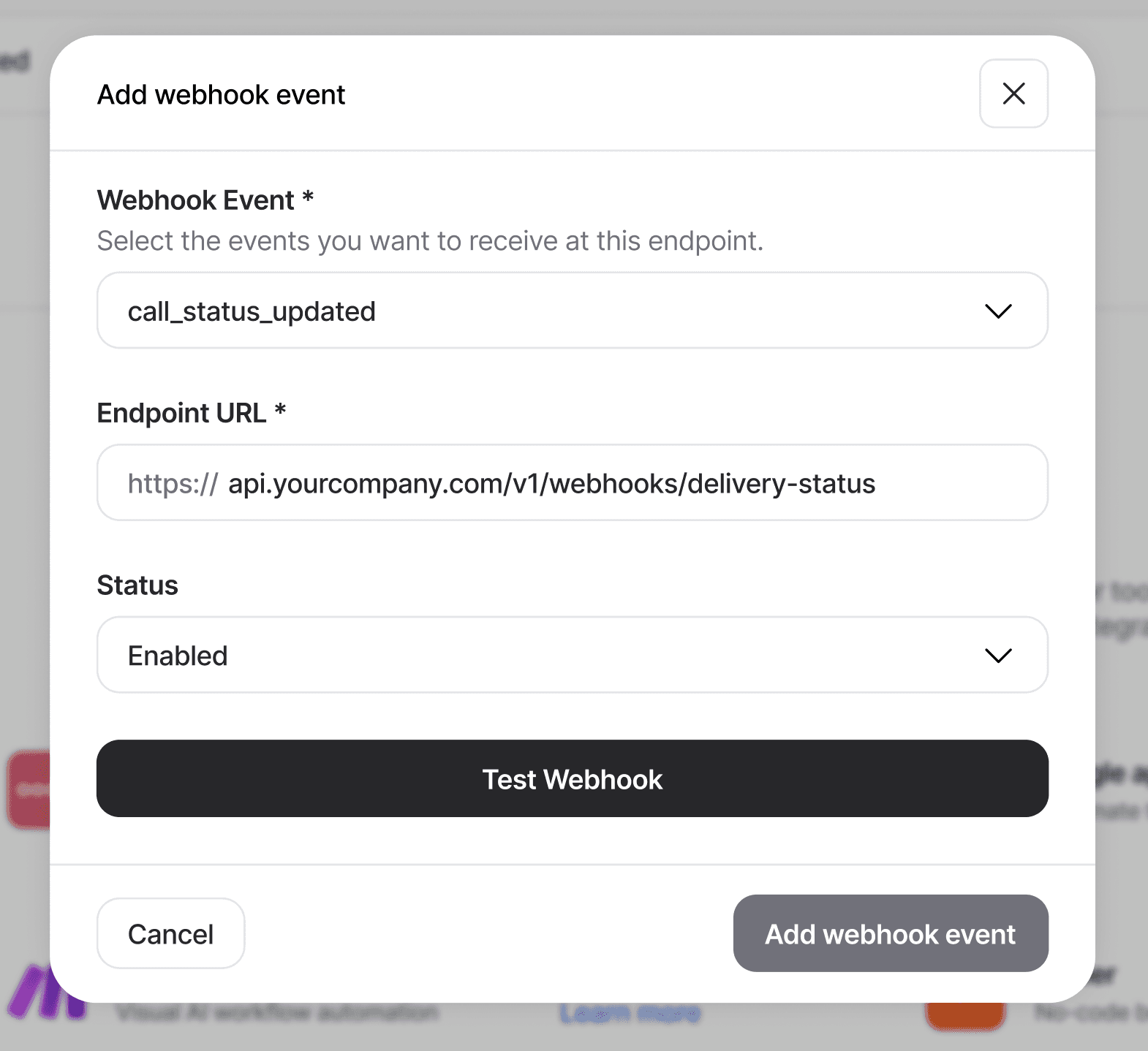
Go to integrations tab, and click on the Add Webhook event button.

2
You'll see the Add Webhook modal pop up

3
Choose your webhook event, and paste the URL you got from Google Apps Script.
4
Click Test Webhook

5
Back in Sheets, You should see a test row appear in your Google Sheet within a few seconds.

6
Click Add webhook event to save.

4
What to try next
1
Add more columns by referencing other fields from the payload
data.recording_url, data.answered_by, data.from_number, etc.